How long it takes to create a stamp card program in Loyaltey (2026 test)
Three scripted runs on production: from the programs page to a live public join page for a new 10-stamp program took a median of 9.4 seconds, 7.2 of which were typing.
- Measured or checked
- 2026-10-28
- Published
- 2026-10-28
- Sample
- 3 runs
- Author
- Andreas Getia, Loyaltey (Getia AS)
- Data
- Download the CSV · CC BY 4.0
Key findings
- From opening the programs page to a live public join page for a new 10-stamp program took a median of 9.4 s (range 9.2 s to 9.4 s, 3 runs).
- 7.2 s of that was typing 24 characters at 300 ms per character, a deliberately slow pace. Page loads and saving took about 2.2 s.
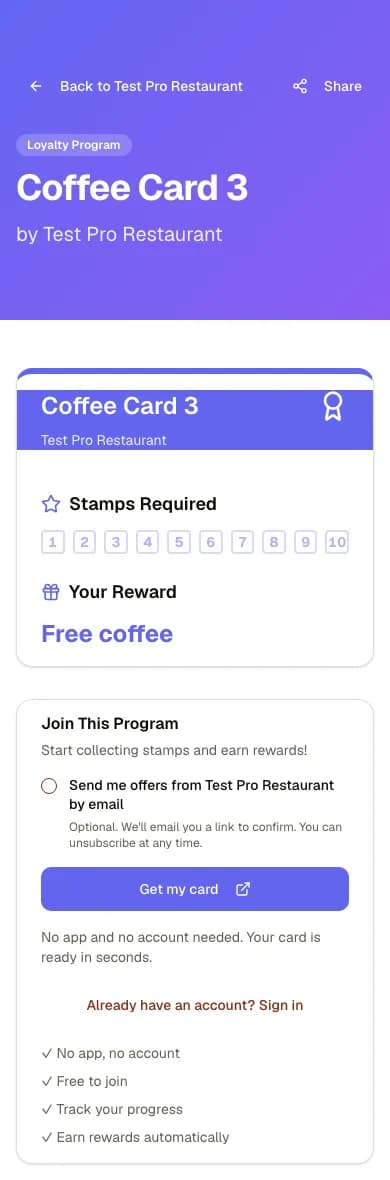
- The join page was public as soon as the program was saved. There is no review or approval step.
- Run 19.4 s
- Run 29.4 s
- Run 39.2 s
Unit: seconds, lower is faster
Every milestone
| Milestone | Run 1 | Run 2 | Run 3 |
|---|---|---|---|
| Programs page ready | 0.8 s | 0.6 s | 0.5 s |
| Create form ready | 1.1 s | 0.9 s | 1.0 s |
| Form filled (name and reward typed) | 8.6 s | 8.3 s | 8.3 s |
| Program created | 8.9 s | 8.6 s | 8.6 s |
| Public join page shows the program | 9.4 s | 9.4 s | 9.2 s |
Elapsed time since the programs page was requested. Run start times (UTC): 2026-10-28T14:04:34.925Z, 2026-10-28T14:05:00.917Z, 2026-10-28T14:05:26.501Z.
Method
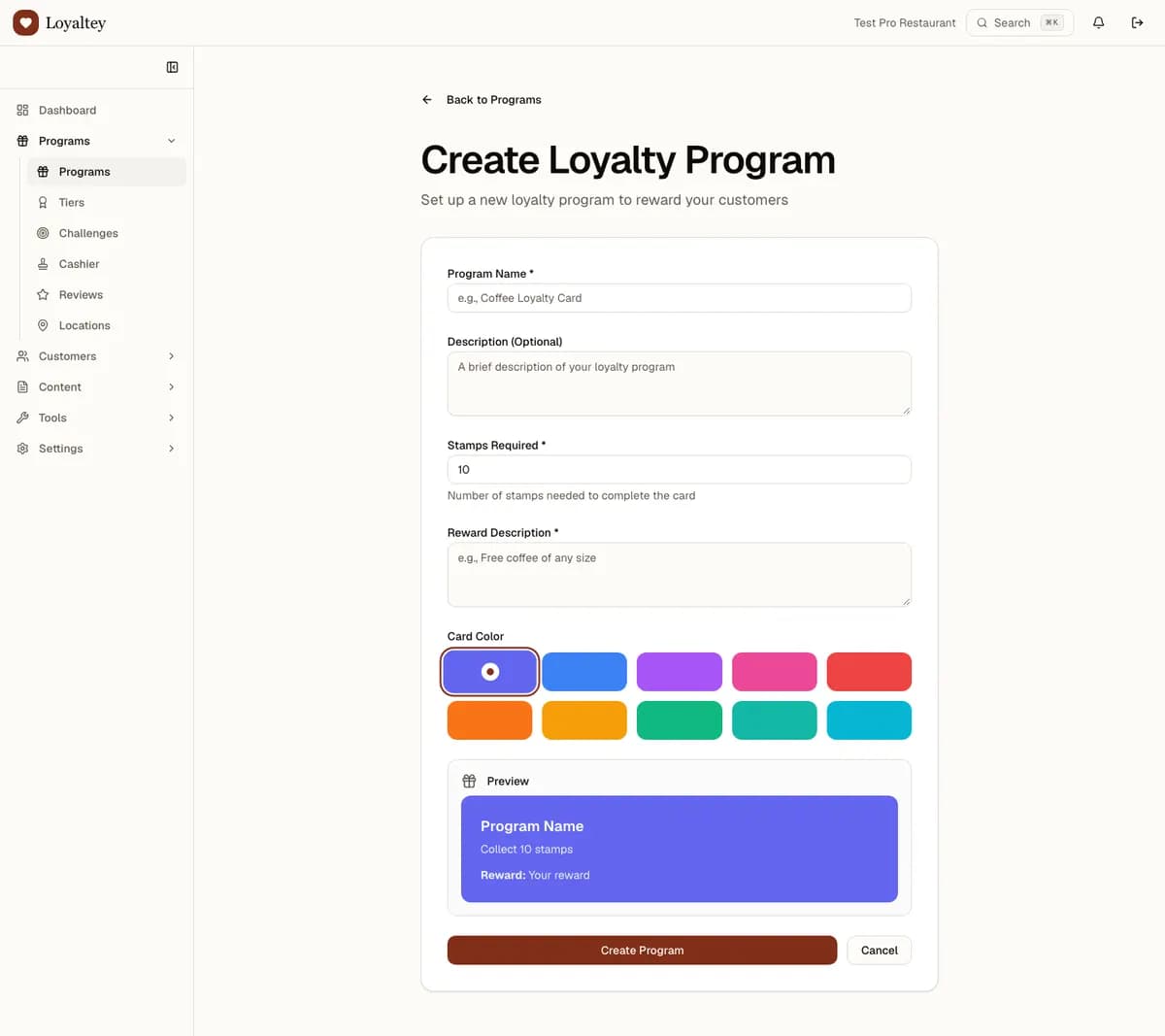
A Playwright script drove headless Chromium on production (loyaltey.com) as a test business account: open the programs page, open the create form, type a name and a reward at 300 ms per character, save, then open the public join page as a logged-out phone visitor. Three runs on 28 October 2026 from Oslo.
The program used the form’s defaults (10 stamps, default colour) and only the two required text fields: the name “Coffee Card 1/2/3” and the reward “Free coffee”. A pilot run was made first to check the script; it is not counted. The test programs were deleted afterwards, except one kept on the test account for screenshots.
Script: setup-time-test.mjs (Playwright, needs a logged-in session file for any Loyaltey business account; no credentials are included).
What this does not measure
- Creating the account. Sign-in uses an email link, so the time depends on the person’s inbox.
- The onboarding steps before the first program: business details, plan choice and, for paid plans, card details at checkout.
- A logo, a description, opening hours, team members or a connected POS.
- Printing a sign. The QR codes page now has a join code per program that new customers scan with the phone camera, and a separate stamp code that signed-in members scan inside the Loyaltey web app.
- How fast a real person decides what the reward should be. That is usually the slow part.
Limitations
- Three runs, one day, one location (Oslo), a fast office connection and a desktop browser.
- A script does not hesitate or read help text. Treat the result as the floor, not the typical time.
- Loyaltey ran the test on its own product. The script and raw data are published so anyone with an account can repeat it. See also the join page load test.
Who wrote this
Loyaltey ran and published this study about its own product and market, so read it as a vendor source. Every number comes from the downloadable data on this page. Corrections: [email protected]. All research.